How to install VPN
Step 1: Create a VPS for
VPN in your preferred location
To set up your own VPN, you will need a VPS server. Please click on the link below to select your desired VPS location:
Please follow up Order steps on the order page. After you complete the payment, you will receive an email with your VPS SSH access details, such as IP address, Login, and Password.Minimum system requirements for VPS:
Operating System - Linux, suitable for Ubuntu 22.04 or Debian 11.
NVMe - minimum 7 GB.
RAM - recommended 2 GB, but not less than 1 GB.
Pre-installed software and control panel are not required.
You can also view these details in your Personal Cabinet. Go to the Active Services page and click on the Settings icon for your VPS.
Step 2: Download and
install the AmneziaVPN application on your device from the
links below


Step 3: Start your
AmneziaVPN application
Select "I have data to connect".
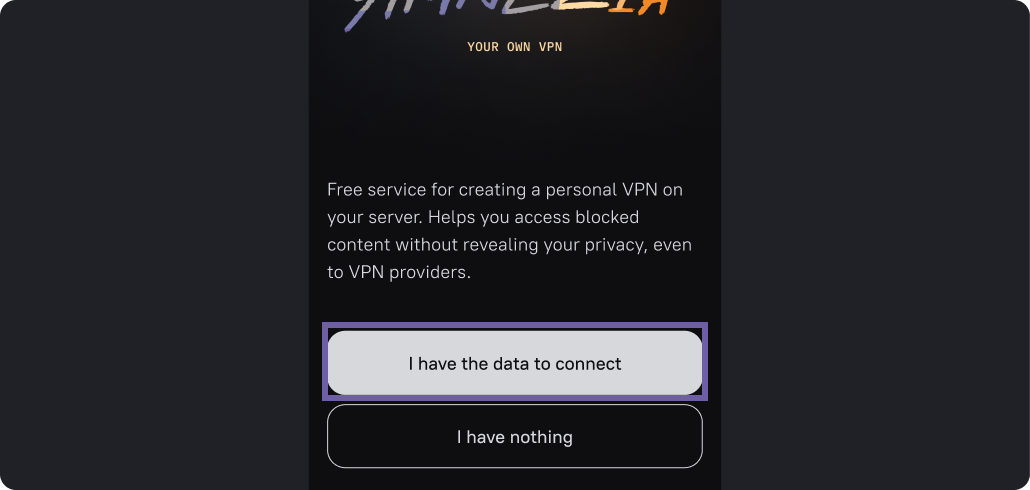
Step 4: Choose the data
type you have.
Choose "Configure your server".
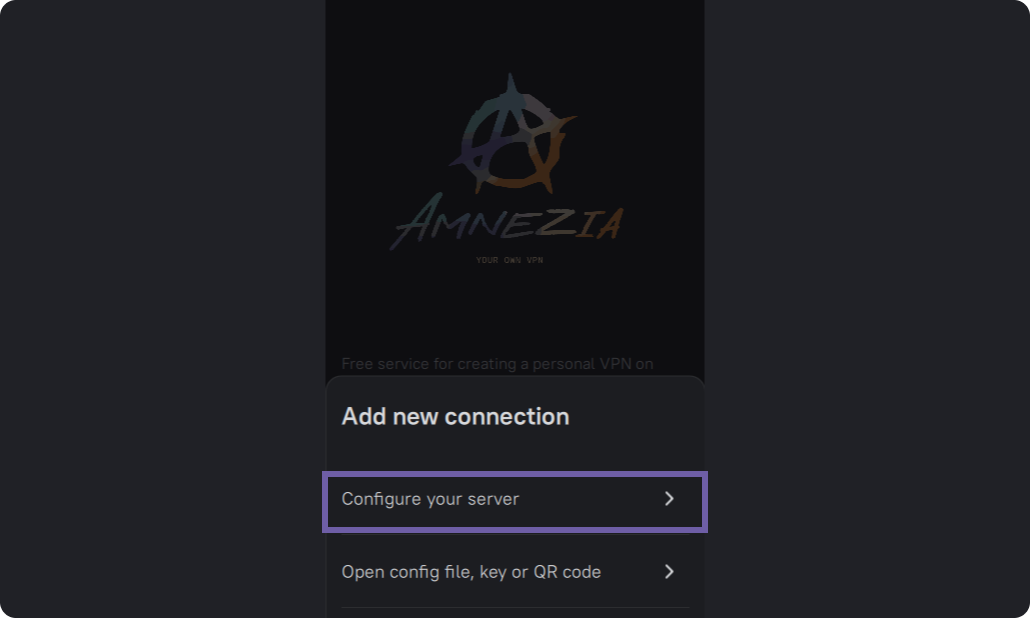
Step 5: Add connection data
This screen of the application will prompt you to enter your connection details. These are the information of your VPS server that you received by email after completing the 1st Step. The email contains:
- SSH access:
- IP : xxx.xxx.ххx.xxx
- Login : root
- Password : XXXXXXXXXXXXX
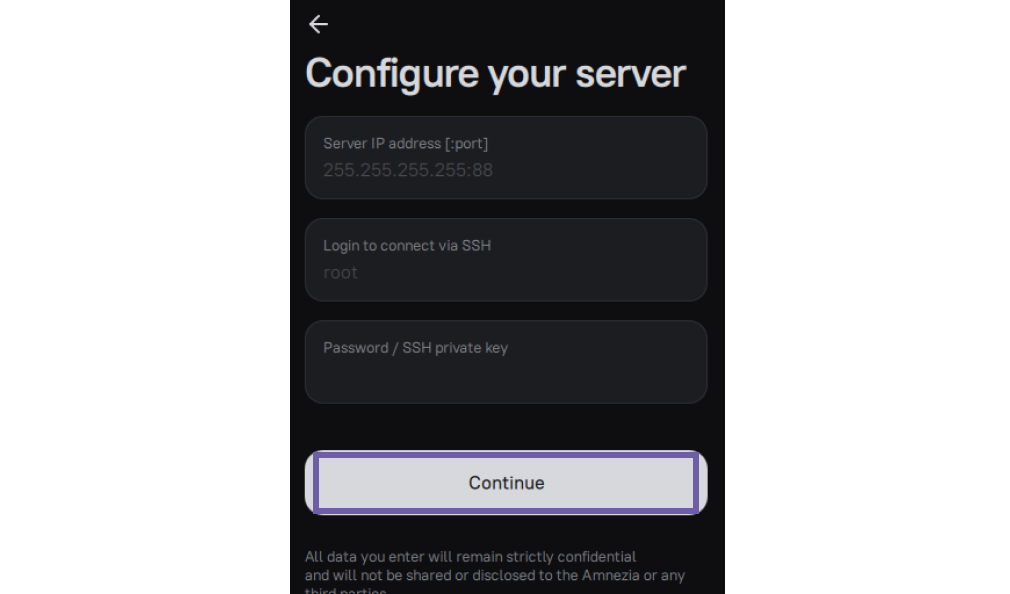
If you changed the port, specify it with a colon after the IP.
Step 6: Choose a predefined
profile or set up your own VPN
At this step, you can either select a predefined profile that matches your needs or customize your settings by choosing a VPN protocol from the list below:
OpenVPN, WireGuard, and IKEv2 are VPN protocols that add traffic encryption and provide secure access to websites.
ShadowSocks is a protocol that bypasses all internet traffic as HTTPS traffic.
AmneziaWG is a fork of WireGuard-GO protocol with traffic protection. It offers an ideal balance between cloaking and speed.
OpenVPN over Cloak is OpenVPN with additional Cloak traffic masking. It cloaks VPN traffic as HTTPS traffic. It is recommended for maximum protection, but it may reduce some performance.
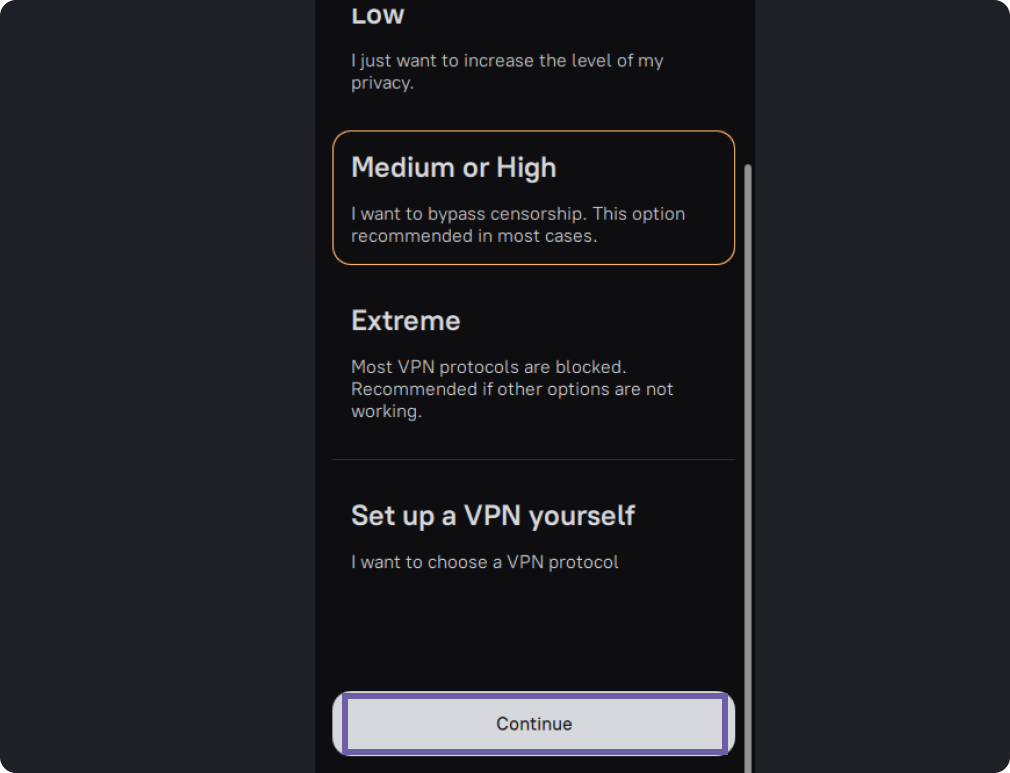
Wait for Amnezia to configure your VPN.

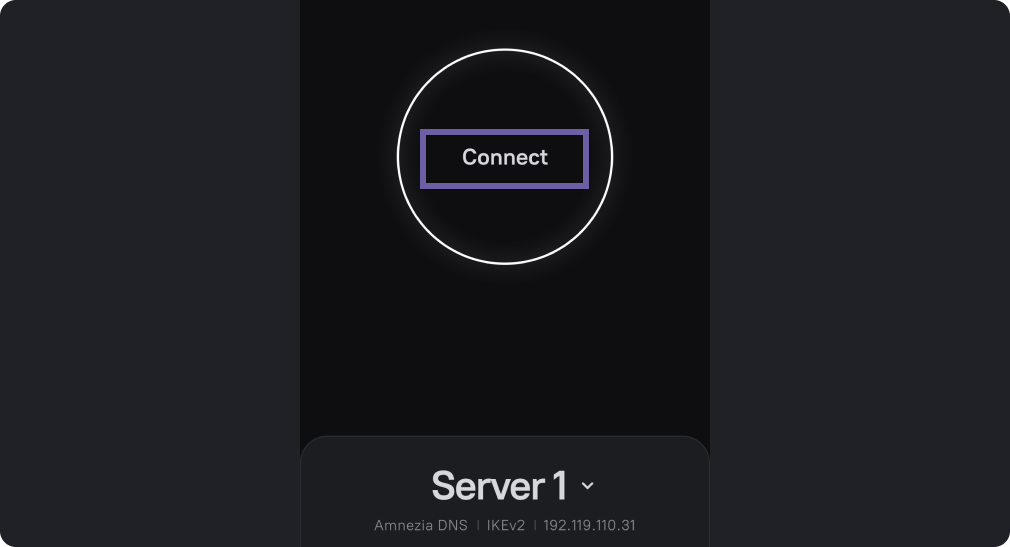
Click on the “Connect” button.
Now you can share your connection with other people, add and remove protocols, select sites for which you want or don't want to use VPN, set your own DNS and much more...